Docker Fundamentals
=====
—–
* Course Id : DEVO-DOCR
* Duration : 24 Hours
Overview
—–
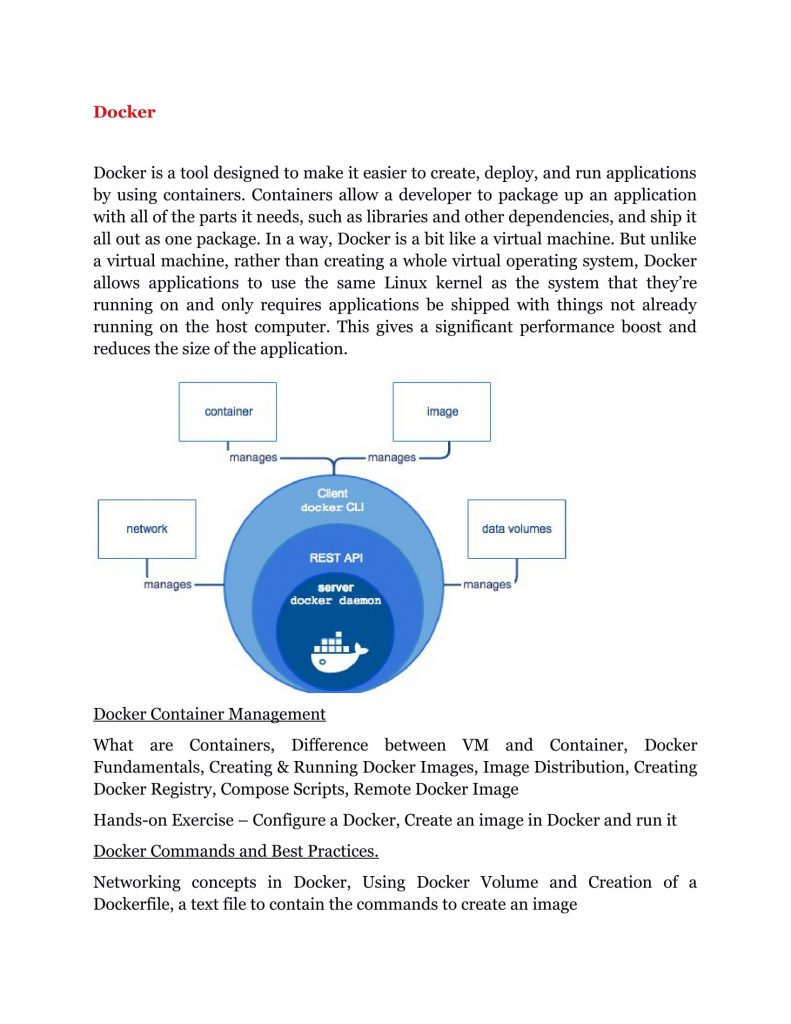
* This course teaches participants container and Docker concepts
* It also shows how to implement Docker containerization
* Participants learn how to use Docker to accelerate development and application deployment
Pre-Requisites
——-
* Comfortable with Linux command-line
* Aware of virtualization and containerization
Training Objectives
——
All participants learn to:
* Build and manage containers
* Build and deploy fully functional applications
* Transition containers and applications to production
Course Structure
—–
* We provide more focus on hands-on in our technical courses (typically 80% hands-on/20% theory)
* Students get the capability to apply the material they learn to real-world problems
Materials Provided
—–
* All participants receive
* PDF of slides
* PDF of handson
* Access to instance with lab environment
Software Requirements
—–
Any of the following
* Any current internet browser
* vnc client
* rdp client
Hardware Requirements
—–
* Processor: 1.2 GHz+
* RAM: 512 MB+
* Disk space: 1 GB+
* Network Connection with low latency (<250ms) to Internet
## Daywise Course Outline
—–
## Day 1
—–
* Unit 1 : Introduction to Containers and Docker
* Unit 2 : Images and containers
* Unit 3 : Container Runtime
## Day 2
—–
* Unit 4 : Beyond the Container
* Unit 5 : Orchestrating multiple containers
* Unit 6 : Security considerations
## Day 3
—–
* Unit 7 : Moving to Production
* Unit 8 : Load Balancing And Scaling
## Detailed Course Outline
—–
Unit 1 : Introduction to Containers and Docker
—–
* Background and history
* Virtualization
* Docker
* CoreOS
* Levels of virtualization
* Difference between VMware style and LXC style
* Value of an LXC wrapper
Unit 2 : Images and containers
—–
* Format
* Contents
* Specs
* Runtime environment
* Constraints
* Building and running containers
* Daemon hosting model
Unit 3 : Container Runtime
—–
* Exploring the host
* Managing container execution
* File systems
* Managing images
Unit 4 : Beyond the Container
—–
* Image Repositories – Public vs Private
* Networking
* Connecting local containers
* Connecting remote containers
* Application considerations
* Strategies
* Managing volumes
Unit 5 : Orchestrating multiple containers
—–
* Topology and binary changes
* Automate build and deploy
* Remote management
* Manage servers in deployed scenarios
Unit 6 : Security considerations
—–
* Container Security
* Tools: etcd, systemd, etc.
Unit 7 : Moving to Production
—–
* Best practices and tools
* Working with Mesos
* Working with Kubernetes
* Working with Fleet
Unit 8 : Load Balancing And Scaling
—–
* Load Balancing
* Scaling Containers
* Networking changes for scale